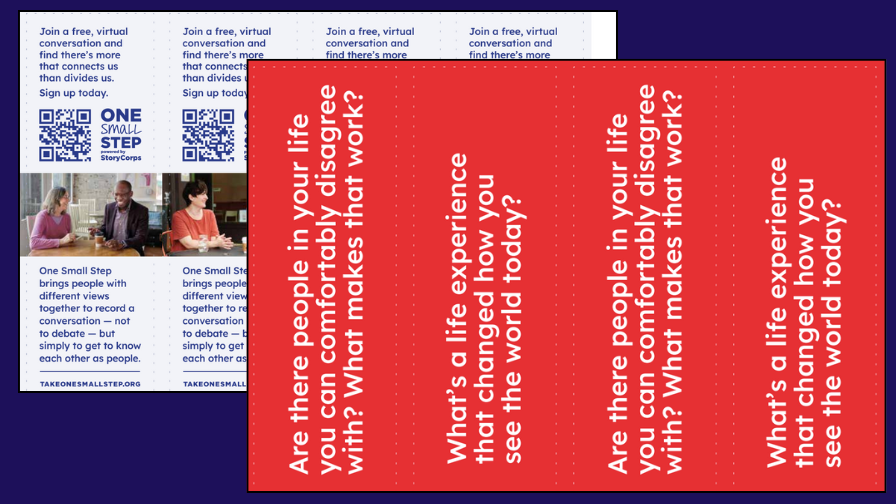
These printable bookmarks are a lightweight promotional tool designed to introduce people to One Small Step through curiosity and great questions.
Each bookmark features a OSS Great Question, along with the One Small Step website — takeonesmallstep.org — where people can sign up for a free, virtual conversation through OSS Connect.
Bookmarks are designed to be printed, shared, and placed where people already gather to read, reflect, and browse
These bookmarks are designed for promotion and outreach.
Use them to:
Share One Small Step in libraries, schools, and community spaces
Include in book checkouts, event materials, or tabling efforts
Spark quiet reflection that can lead to conversation later
Invite new audiences to explore OSS Connect on their own time
INSTRUCTIONS
Determine how many bookmarks you want: one double-sided page will make four bookmarks.
Print as many pages of the Bookmark Fronts file as you need.
Manually flip the printed sheets and reinsert them into the paper tray (for help with this, check out the last tip on the right).
Open the Bookmark Backs file and print the same number of copies.
Using a guillotine-style or industrial paper cutter, cut along crop marks. You should be able to stack and cut several pages at a time.
TIPS FOR BEST RESULTS
Print in color on cardstock. Use a dedicated PDF app like Adobe Acrobat, rather than printing directly from your browser
Ensure your printer is set to 0.5” margins on all sides, and is printing at 100% (in other words, not stretching to fit).
Manual duplex printing will achieve the best results, but it can be deceptively tricky figuring out how to flip and reinsert printed pages to print their backs correctly (and it varies from printer to printer).
This site has great explanations and diagrams to help you figure out how to manually duplex print with the printer you have.